
How to access your notifications
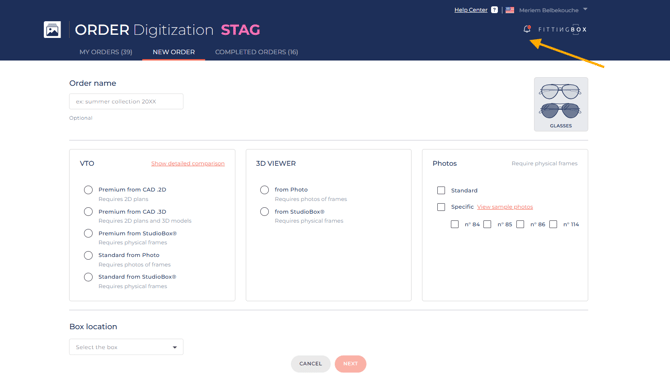
- Log in to the Order platform.
- Click the notification bell in the top-right corner.
- Open the notification panel to view your latest updates.
What you'll be notified about
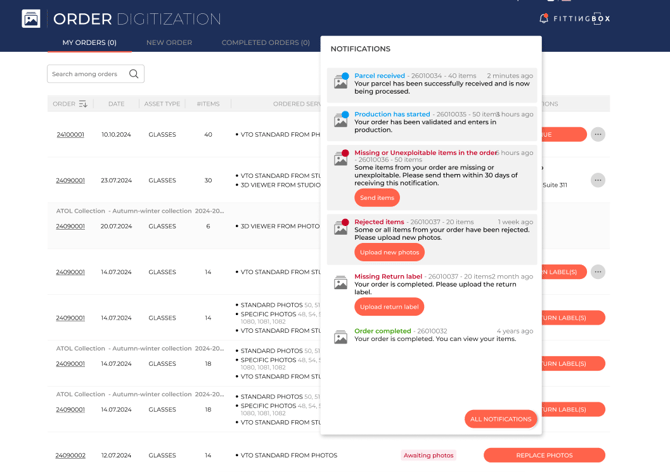
You will receive notifications when:
- Your parcel has been received.
- Production has started.
- Some items are missing or unusable
- Some items have been rejected and require new uploads (VTO standard from photo and 3D viewer from photo)
- A return label is missing.
- Your order has been completed.
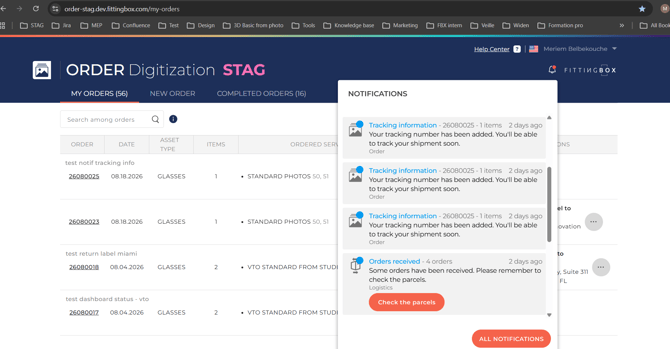
- If your tracking information are available.
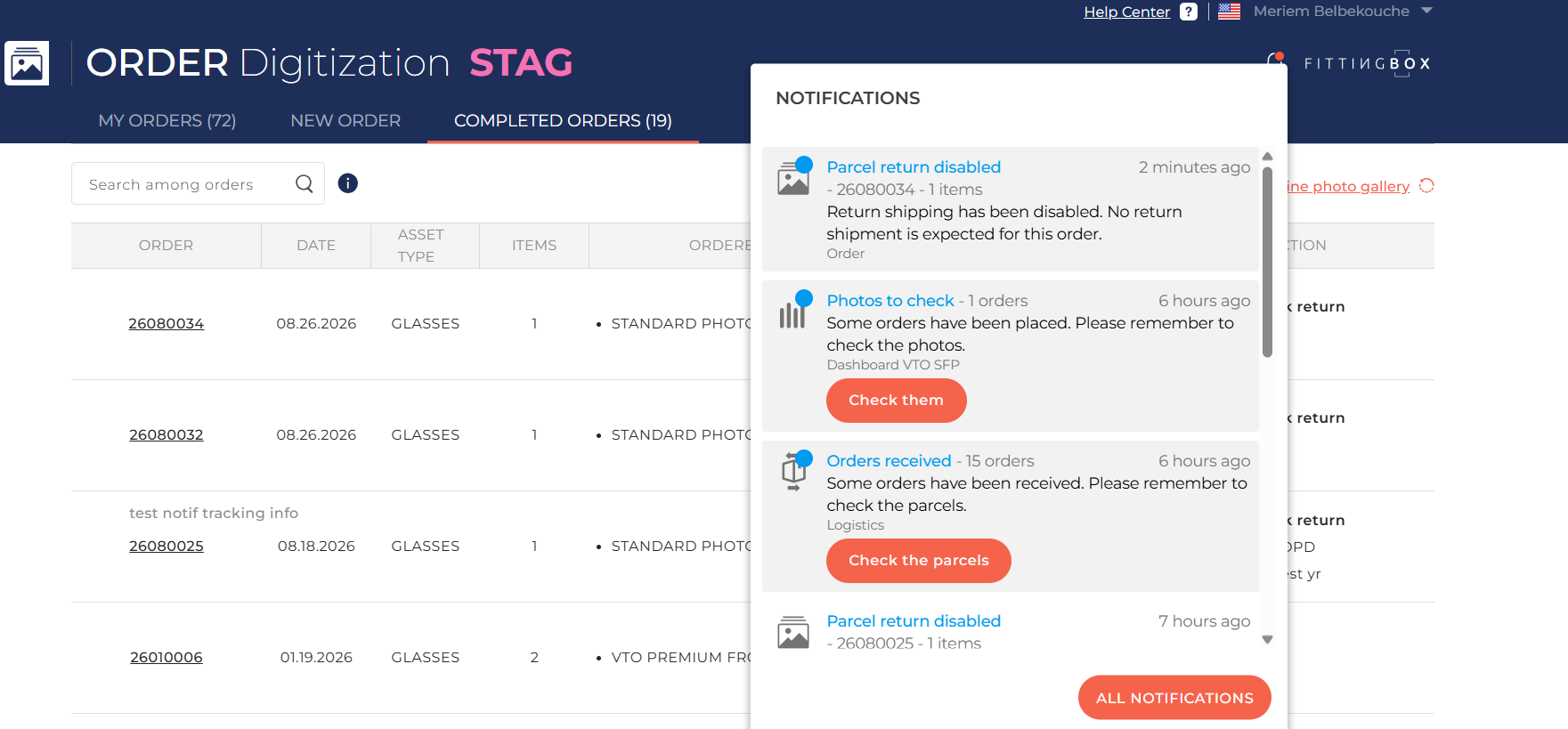
- No return has been declared for your parcel
Each notification includes the relevant order information. When a notification requires an action, an action button is displayed to take you directly to the related order or page.
Note: If you have access to Order and other Fittingbox platforms (such as Catalog Management, Logistics, etc.), the notifications related to your orders will also be available from those platforms.